Shopify integration guide
Follow this guide to add Peg touchpoints to your Shopify storefront. Each touchpoint below includes placement guidance, purpose, and the exact code snippet to paste.
Overview
This guide walks your team through adding Peg touchpoints to your Shopify storefront. Each section includes placement guidance, purpose, and the exact code snippet to paste.
How to implement
- In your Shopify admin, go to Online Store → Customize.
- Use Shopify's theme editor to add a new Custom Liquid section in the proper location for each touchpoint below.
- Copy the snippet for each touchpoint and paste it into the Custom Liquid content zone.
- Save and publish your changes.
- Verify on both desktop and mobile.
Touchpoints
1. Product Page
Required- Placement
- Near shipping information or below the Add to Cart button.
- Purpose
- Reassure customers about the return policy at point of consideration.
Standard banner
Code snippet
<div id="peg_free-returns-banner-short" style="width: 100%;">
  <a href="https://www.peg.com/returns" target="_blank" rel="noopener noreferrer" style="display: block !important; text-align: center;" aria-label="Free Returns Powered by Peg">
    <img src="https://cdn.peg.com/assets/free-returns-banner-short.png" alt="Free Returns Powered by Peg" style="max-width: 500px; margin: 8px auto;" />
  </a>
</div>
Preview

Inverted banner
Code snippet
<div id="peg_free-returns-banner-short-inverted" style="width: 100%;">
  <a href="https://www.peg.com/returns" target="_blank" rel="noopener noreferrer" style="display: block !important; text-align: center;" aria-label="Free Returns Powered by Peg">
    <img src="https://cdn.peg.com/assets/free-returns-banner-short-inverted.png" alt="Free Returns Powered by Peg" style="max-width: 500px; margin: 8px auto;" />
  </a>
</div>
Preview

Info card
Code snippet
<div id="peg_free-returns-this-item" style="width: 100%;">
  <a href="https://www.peg.com/returns" target="_blank" rel="noopener noreferrer" style="display: block !important; text-align: center;" aria-label="Free returns on this item">
    <img src="https://cdn.peg.com/assets/free-returns-this-item.png" alt="Free returns on this item" style="max-width: 650px; margin: 8px auto;" />
  </a>
</div>
Preview

Inline link
Code snippet
<a id="peg_free-returns-inline" href="https://www.peg.com/returns" target="_blank" rel="noopener noreferrer" aria-label="Free returns with Peg" style="display: inline-flex; align-items: center; text-decoration: none !important;">
  <img src="https://cdn.peg.com/assets/free-returns-minimal.png" alt="Free returns with Peg" style="height: 1.2rem; max-height: 32px; margin: 0 2px;" />
</a>
Preview

2. Cart / Checkout
Required- Placement
- In the cart summary or checkout sidebar.
- Purpose
- Final reassurance before purchase completion.
Inverted banner
Code snippet
<div id="peg_free-returns-banner-short-inverted-light" style="width: 100%;">
  <a href="https://www.peg.com/returns" target="_blank" rel="noopener noreferrer" style="display: block !important; text-align: center;" aria-label="Free Returns Powered by Peg">
    <img src="https://cdn.peg.com/assets/free-returns-banner-short-inverted-light.png" alt="Free Returns Powered by Peg" style="max-width: 500px; margin: 8px auto;" />
  </a>
</div>
Preview

Qualified order line
Code snippet
<div id="peg_free-returns-this-item" style="width: 100%;">
  <a href="https://www.peg.com/returns" target="_blank" rel="noopener noreferrer" style="display: block !important; text-align: center;" aria-label="This order qualifies for free returns with Peg">
    <img src="https://cdn.peg.com/assets/order-qualifies-for-free-returns.png" alt="This order qualifies for free returns with Peg" style="max-width: 500px; margin: 8px auto;" />
  </a>
</div>
Preview

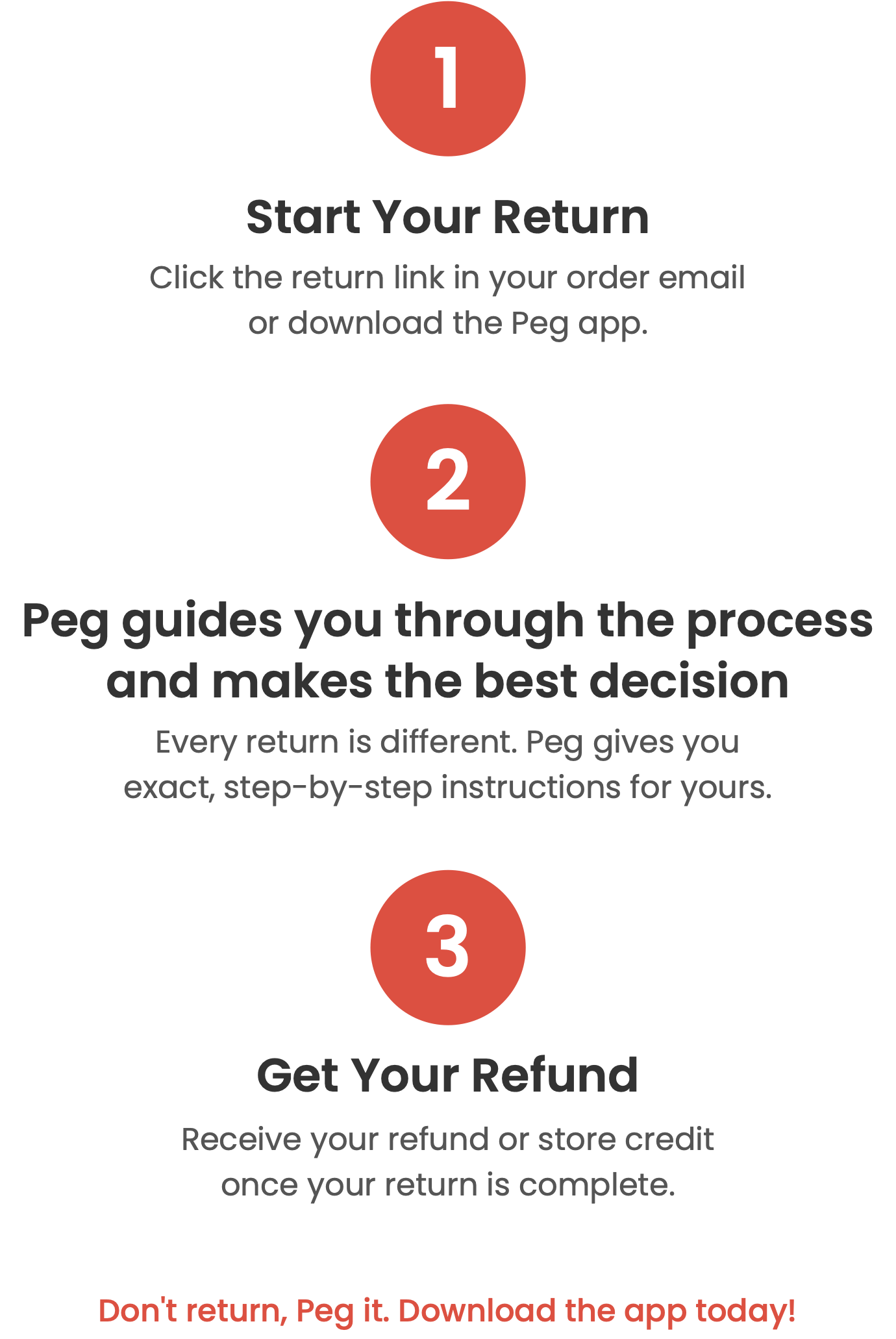
3. Return Policy Page
Required- Placement
- Dedicated page accessible from main navigation.
- Purpose
- Comprehensive explanation of the Peg returns process.
Code snippet
<div id="peg_how-it-works" style="text-align: center; width: 100%; max-width: 800px; margin: auto;">
  <img src="https://cdn.peg.com/assets/how-it-works-banner.png" alt="How Peg Returns Work" width="100%" />
  <a href="https://www.peg.com/returns" target="_blank" rel="noopener noreferrer" style="display: block; margin-top: 32px; width: 100%; text-align: center;" aria-label="Learn How Peg Returns Work">
    <img src="https://cdn.peg.com/assets/how-it-works-steps.png" alt="Learn How Peg Returns Work" width="80%" style="margin: auto; border: none !important;" />
  </a>
  <div style="display: flex; justify-content: center; align-items: center; gap: 16px; flex-wrap: wrap;">
    <a href="https://play.google.com/store/apps/details?id=com.peg.mob" target="_blank" rel="noopener noreferrer" aria-label="Download Peg on Google Play" style="margin-top: 16px; margin-right: 8px;">
      <img src="https://cdn.peg.com/assets/google-play.png" alt="Download Peg on Google Play" width="150" />
    </a>
    <a href="https://apps.apple.com/us/app/peg-ai/id6740215040" target="_blank" rel="noopener noreferrer" aria-label="Download Peg on the App Store" style="margin-top: 16px; margin-left: 8px;">
      <img src="https://cdn.peg.com/assets/apple-store.png" alt="Download Peg on the App Store" width="150" />
    </a>
  </div>
</div>
Preview



4. Order Confirmation
Required- Placement
- Order confirmation email.
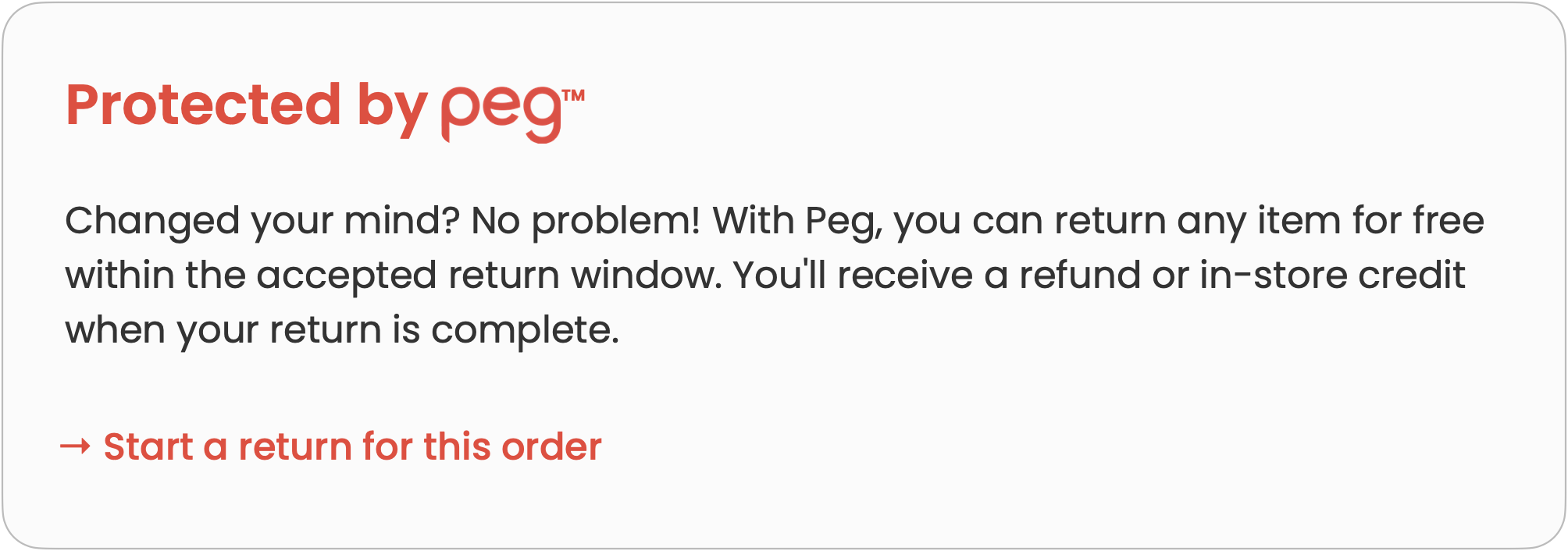
- Purpose
- Proactive education about return options.
Code snippet
<div id="peg_free-order-confirm" style="text-align: center; width: 100%; max-width: 600px; margin: auto;">
  <a href="https://www.peg.com/returns" target="_blank" rel="noopener noreferrer" style="display: block" aria-label="Free Returns with Peg">
    <img src="https://cdn.peg.com/assets/free-order-confirmation.png" alt="Free Returns with Peg" width="100%" />
  </a>
</div>
Preview
5. Home Page
Recommended- Placement
- Above the fold, in the hero section or a prominent banner area.
- Purpose
- Introduce customers to your enhanced returns experience.
Code snippet
<div id="peg_free-returns-banner" style="background: #ef4136; width: 100%;">
  <a href="https://www.peg.com/returns" target="_blank" rel="noopener noreferrer" style="display: block; width: 100%; text-align: center;" aria-label="Offering Free Returns with Peg">
    <img src="https://cdn.peg.com/assets/free-returns-banner.png" alt="Offering Free Returns with Peg" style="max-height: 60px; vertical-align: middle; margin: auto;" />
  </a>
</div>
Preview

Best practices
- Integrate touchpoints exactly as defined.
- Clearly explain the Peg process benefits throughout your site.
- Make return options visible but not overwhelming.
- Verify all touchpoints on both desktop and mobile devices.
- Keep widget load times minimal.
- Maintain consistent messaging across all touchpoints.
Brand consistency
- Peg's primary color: #EF4136
- Maintain consistent spacing and typography with your existing design.
- Ensure mobile responsiveness.
Need help?
Our team can walk you through setup. Reach out via the For Retailers page. Contact us.